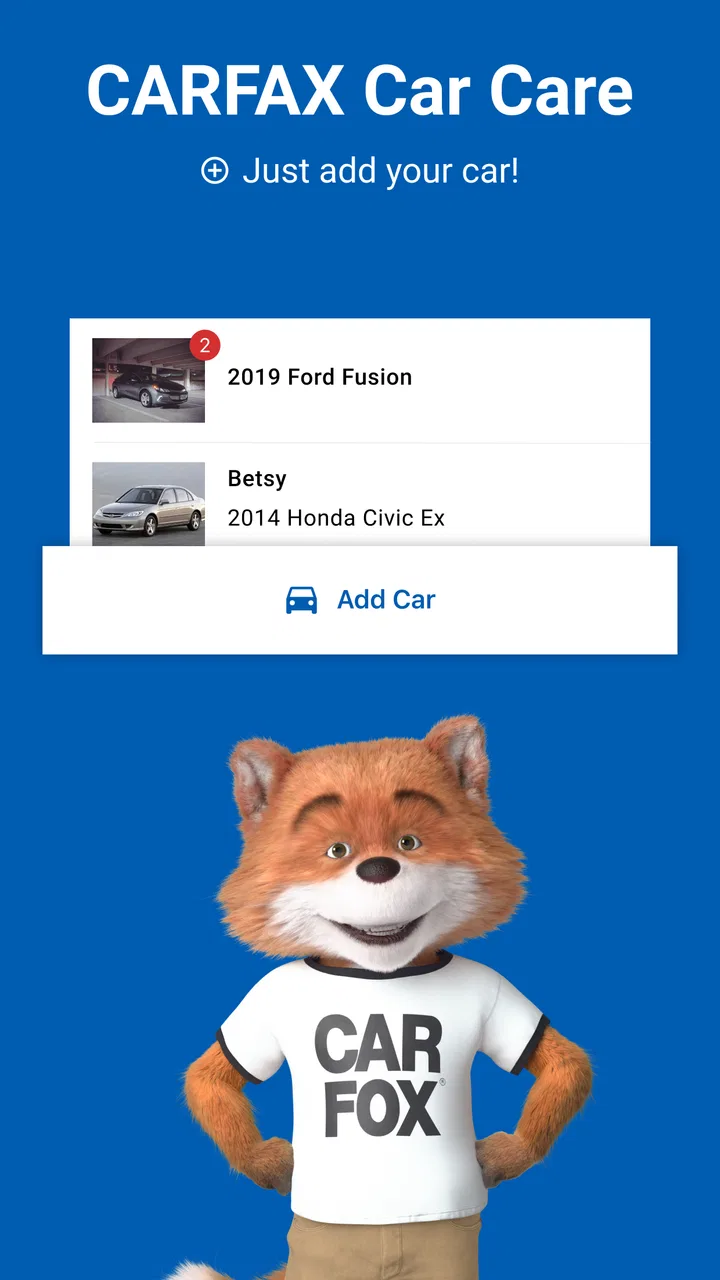
CARFAX Car Care App
- 4.8
- Rating
- 1.00M
- Installs
- Free
- Price

 Analysis by App-foxy
Keeping track of a car’s maintenance is easy to postpone and surprisingly difficult to reconstruct later. I have found that CARFAX Car Care is most useful when treated as a practical record-keeping companion rather than as a complete repair adviser. Its main purpose is to help me view service history and recognize when maintenance may be due, which makes it especially handy when a vehicle has changed owners, visited several garages, or simply accumulated years of receipts.
This is a free Auto & Vehicles app from CARFAX, Inc, and it is rated for Everyone. The current version is 4.11.0, and it runs on Android 7.0 or later. Its average rating is 4.7 from around 41 thousand ratings, while the app has passed 1 million installs. Those figures suggest that it has become a familiar choice for drivers who want a simpler way to organize car-care information without paying for a dedicated maintenance notebook or a more elaborate vehicle-management service.
Getting past the first points of friction
I’d start by treating setup as a small record-cleanup task, not just a quick install: check which vehicle you’re viewing and gather any recent service paperwork before relying on the timeline. That makes it easier to spot whether a gap reflects missing records or simply information you have not added yet. Once the basics are in place, the next question is how to turn that history into a routine you’ll actually maintain.
You May Also Like

 Blood Strike: 2.5 Anniversary
Blood Strike’s Loadouts Turn Every Drop Into a Tactical Gamble
A close look at Blood Strike’s custom loadouts: how fast access to signature weapons reshapes its battle royale rhythm, rewards preparation, and narrows the gap between fights.

 Pandora - Music & Podcasts
Pandora’s Music Is Easy to Start, but Harder to Recover
Pandora’s strength is its low-effort path from a seed to a station. Its weak spot is how much confidence it asks you to place in connection, setup, and quiet recovery.

 8 Ball Pool
 Is Built on Rivalries, Rematches, and Routine
A close look at the rivalries, rematches, shared routines, and unanswered safety questions that turn a quick pool match into a persistent mobile community.

 Samsung Music
’s Quiet Strength Is Playing What You Already Own
Its reach comes less from spectacle than from dependable access to a personal library. That simplicity is both the app’s strongest retention engine and its ceiling.

 AccuWeather: Weather Radar
AccuWeather Review: A Quick, Clear Forecast for Everyday Decisions
For everyday plans, the best forecast is the one you can understand quickly. AccuWeather makes rain timing, radar, and local conditions easy to act on, with a few trade-offs.

 Hill Climb Racing
Why Hill Climb Racing Still Turns Crashes Into One More Run
A tiny car, a bumpy hill and one more upgrade: Hill Climb Racing keeps resurfacing because its simple chaos makes every near-miss feel personal.
More From Our News Desk



What I would check before expecting useful results
The first important distinction is between seeing a vehicle’s existing information and creating a reliable personal maintenance routine. A new user may expect the app to know every oil change, tire rotation, inspection, and repair immediately. In practice, the usefulness of the record depends on what information is available and how carefully the vehicle is identified. If the initial setup feels incomplete, I would first check that the selected vehicle is the one I actually intend to monitor and that the basic details have been entered consistently.
I would also keep recent paperwork nearby during setup. Receipts, invoices, inspection documents, and notes from a mechanic can help fill in gaps and prevent me from treating an old or partial record as a complete history. This is one of the less obvious strengths of the app: it gives me a central place to compare what I remember with what has already been recorded. It does not remove the need for accurate input, but it makes that checking process less scattered.
Another sensible check is the phone itself. Since the app requires Android 7.0 or later, an older device may be the reason installation or updating does not work as expected. I would confirm that the operating system meets that requirement, make sure the app is updated to the current release, and restart the app after an update if a screen behaves strangely. These are ordinary steps, but they are more useful than repeatedly tapping the same button when the problem is actually compatibility or a stalled app session.
Why a vehicle record may look incomplete
A service record is only as complete as the information connected to it. If a previous owner used a different garage, kept paper receipts, or never entered work digitally, the timeline may have gaps. I would not interpret an empty period as proof that nothing happened during that time. Instead, I would use the app as a working history and add context from the documents I already have.
This matters when buying a used car. A clean-looking timeline can be reassuring, but it should not replace a mechanic’s inspection, a conversation with the seller, or a review of physical paperwork. The app is better at helping me organize evidence than at proving that every component is in good condition. That distinction prevents one of the most common mistakes: confusing a convenient record with a full mechanical diagnosis.
For a household with more than one vehicle, I would slow down during selection and review each entry before recording maintenance. A service note attached to the wrong car can make future reminders misleading. The small amount of care needed at this stage pays off later, particularly when two vehicles have similar makes, colors, or service intervals.
When reminders become genuinely useful
The maintenance side of the app works best when I use it before a busy week, not after a warning light appears. I can look over the vehicle’s history, identify work that may be approaching, and decide whether I need to contact a garage. That is a more realistic role for the app than expecting it to diagnose a noise, estimate a repair, or tell me whether it is safe to continue driving.
A practical example is a road trip planned for the following weekend. I would open the service history several days beforehand, check whether routine work is due, and compare the record with the vehicle manufacturer’s schedule and my own receipts. If the history is unclear, I would book an inspection rather than assume the app has settled the question. The benefit is not dramatic automation; it is having the relevant information in one place early enough to act on it.
Recovering when the normal workflow breaks
If a record does not appear after I expect it to, I would avoid entering the same service repeatedly. First I would close and reopen the app, confirm that I am viewing the intended vehicle, and check whether the information appears after a short delay or a fresh session. I would also compare the entry with the original receipt so that the date, mileage, and service description are not being interpreted incorrectly.
When an item remains missing, I would create a simple offline note containing the work performed, the date, the mileage, and the garage name. That temporary note gives me a safe reference while I work out whether the issue is a display problem, an incomplete record, or a detail that needs to be entered again. It also avoids the risk of forgetting important maintenance while troubleshooting the app.
If the app closes, freezes, or refuses to load, the usual low-risk sequence is to restart it, restart the phone, and check for an available update. I would avoid clearing app data unless I had confirmed that my important records were preserved elsewhere, because aggressive troubleshooting can create a new record-keeping problem. The best recovery method is the one that protects the maintenance information first.
How I would build a dependable routine
I would use the app immediately after a service visit, while the invoice is still in front of me. Recording work at that moment is more reliable than trying to rebuild a year of maintenance from memory. I would keep the description specific enough to recognize later, especially when several visits involve similar routine work.
A second useful habit is a monthly review. I would open the vehicle record, scan recent entries, and compare upcoming maintenance with my calendar and budget. This turns the app from a passive archive into a small planning tool. It also exposes inconsistencies early, such as a mileage figure that does not make sense or a service that appears to have been associated with the wrong vehicle.
For families, I would agree on one person responsible for updating the record or establish a shared routine after every repair. The app cannot solve conflicting personal notes if several people record the same visit in different ways. Clear household habits are more important than adding more information quickly.
When the app is not the cause of the problem
Sometimes the frustration starts with the vehicle rather than the software. A mechanic may use different wording from the service record, a receipt may omit mileage, or a manufacturer schedule may recommend work that does not appear in the app’s history. In those cases, changing settings will not create missing mechanical information. I would compare the app with the vehicle handbook, invoices, and professional advice instead of assuming that the digital record is the final authority.
The same caution applies to warning lights and unusual behavior. A maintenance-planning tool can help me remember service, but it should not be used to dismiss an engine warning, brake concern, overheating, fluid leak, or change in handling. If the car feels unsafe, I would stop driving when appropriate and seek qualified assistance. The app can support that conversation by showing relevant history, but it cannot inspect the vehicle from a phone.
There is also a human limitation: people often remember repairs selectively. A major repair may be recorded while small but important tasks are forgotten. I would therefore treat the app as one part of a broader ownership system, alongside receipts, the manufacturer’s schedule, and a trusted repair shop. Its value increases when those sources are used together.
How it compares with ordinary alternatives
The simplest alternative is a paper folder. That approach is still excellent for preserving original invoices and inspection documents, and I would keep those even when using the app. Paper becomes less convenient when I need to remember dates quickly, review a vehicle before a trip, or separate the history of multiple cars.
A notes app or spreadsheet offers more control over wording and columns. It may be better for someone who wants to track fuel economy, repair costs, parts, photographs, or custom reminders in detail. The trade-off is that I have to design and maintain the system myself. CARFAX Car Care is more focused: its appeal is the vehicle-centered service view rather than unlimited customization.
A mechanic’s own customer portal may be more accurate for work performed at that particular shop, but it will not necessarily give me a complete history from other garages. I see this app as a useful middle layer between scattered paperwork and a shop-specific system. It is not the most powerful option for detailed fleet management, but it is easier to justify for ordinary personal ownership because its focus stays on maintenance history and due dates.
Who will benefit most from it
I would recommend it to first-time owners who want a gentle way to establish maintenance habits, used-car owners who are reconstructing a history, and families that need a shared reference for more than one vehicle. It is also useful for anyone who has ever found an old receipt and wondered whether the work was already done.
The app is less suitable for a driver who wants advanced expense accounting, deep diagnostic information, or a fully customized fleet dashboard. A professional operator with many vehicles may need a specialized service-management platform. Likewise, someone who already keeps a meticulous spreadsheet and paper archive may gain convenience but not a complete change in capability.
Price is one of the easiest reasons to try it: the app is free. That makes experimentation low-risk, although the real cost is the time spent keeping entries accurate. A free tool with neglected records is less useful than a simple paid or manual system that someone updates consistently. I would judge it by whether it becomes part of my routine, not just by whether it installs successfully.
My practical verdict for daily ownership
After using it as a maintenance companion, I see CARFAX Car Care as a focused and approachable option for organizing vehicle service information. Its strongest benefit is not that it replaces a mechanic or predicts every problem. It is that it gives me a more convenient place to review history and think ahead about routine care.
The setup deserves patience. I would verify the vehicle, gather paperwork, confirm the phone meets the Android requirement, and avoid assuming that an incomplete timeline means incomplete maintenance. When something goes wrong, I would protect my records, restart the basic workflow, and use offline notes while checking the source documents. Those habits make the experience more dependable than simply opening the app only when a service question becomes urgent.
My final recommendation is positive for everyday drivers who want a free, straightforward way to stay aware of maintenance. I would pair it with the owner’s manual, original receipts, and professional inspections, especially when buying a used vehicle or dealing with a warning sign. Used with those safeguards, it earns its place as a practical record and reminder tool; used as a substitute for mechanical judgment, it is the wrong choice.
CARFAX, Inc has kept the idea easy to understand: look back at service information and use it to plan ahead. That limited scope is also its advantage. I would install it for organization, not diagnosis, and I would recommend it to a friend who wants fewer forgotten service dates without building a complicated tracking system from scratch.
FAQs for CARFAX Car Care App
01What features does the CARFAX Car Care app offer?
The CARFAX Car Care app provides users with a comprehensive vehicle maintenance tracking system. It offers features such as service reminders, access to service history, safety recalls alerts, and an intuitive dashboard for managing multiple vehicles. It's designed to help users stay on top of their car's maintenance needs effectively.
02Is the CARFAX Car Care app free to use?
Yes, the CARFAX Car Care app is free to download and use. While the app itself does not charge for its basic features, users can access additional services or reports that may incur extra costs. It’s advisable to check the app for any in-app purchases or premium features.
03How do I set up my vehicle in the CARFAX Car Care app?
Setting up your vehicle in the CARFAX Car Care app is a straightforward process. After downloading the app, you can enter your vehicle’s VIN or license plate number. The app will then retrieve your car's information and service history, allowing you to manage and track maintenance easily.
04Can I track multiple vehicles with the CARFAX Car Care app?
Yes, the CARFAX Car Care app supports multiple vehicles. This feature is particularly useful for families or individuals managing more than one car. Each vehicle can be added separately, and you will receive tailored maintenance reminders and alerts for each one, ensuring all your vehicles are well-maintained.
05What kind of maintenance reminders does the CARFAX Car Care app provide?
The CARFAX Car Care app offers various maintenance reminders, including oil changes, tire rotations, and brake inspections. Users can customize these reminders based on mileage or time intervals. The app also sends notifications for upcoming service needs, helping users keep their vehicles in optimal condition.
Pros
- Easy-to-use interface for all users.
- Tracks maintenance with timely reminders.
- Comprehensive vehicle history reports.
- Includes recalls and safety alerts.
- Multiple vehicle management in one place.
Cons
- Limited features in free version.
- Data updates can be slow at times.
- Requires internet for full functionality.
- Some reports may lack detailed info.
- Ads present in the free version.

CARFAX Car Care App
Gallery